If you are returning to the same employer and have been issued an OEC during your last exit from the Philippines, you can simply apply for an OEC EXEMPTION without needing for a new contract verification.

This applies to workers who have RENEWED their employment contract with the SAME EMPLOYER in the SAME POSITION and the SAME JOBSITE. Otherwise, please have your new contracts verified by setting up an appointment here.
HOW TO APPLY FOR AN OEC EXEMPTION
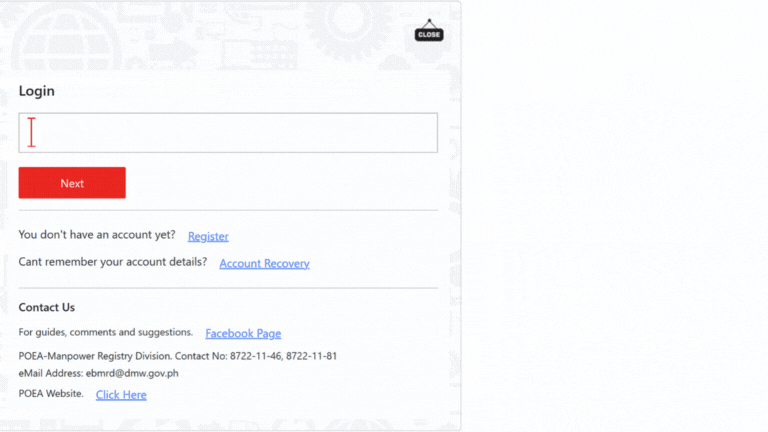
1. Login to your E-registration account at https://onlineservices.dmw.gov.ph/
2. Click LET’S GO! then LOGIN.
3. Enter your registration e-mail and password and click NEXT.
4. Update passport details and working visa under “My Profile – IDENTIFICATION”. Click update/Save when you’re done.
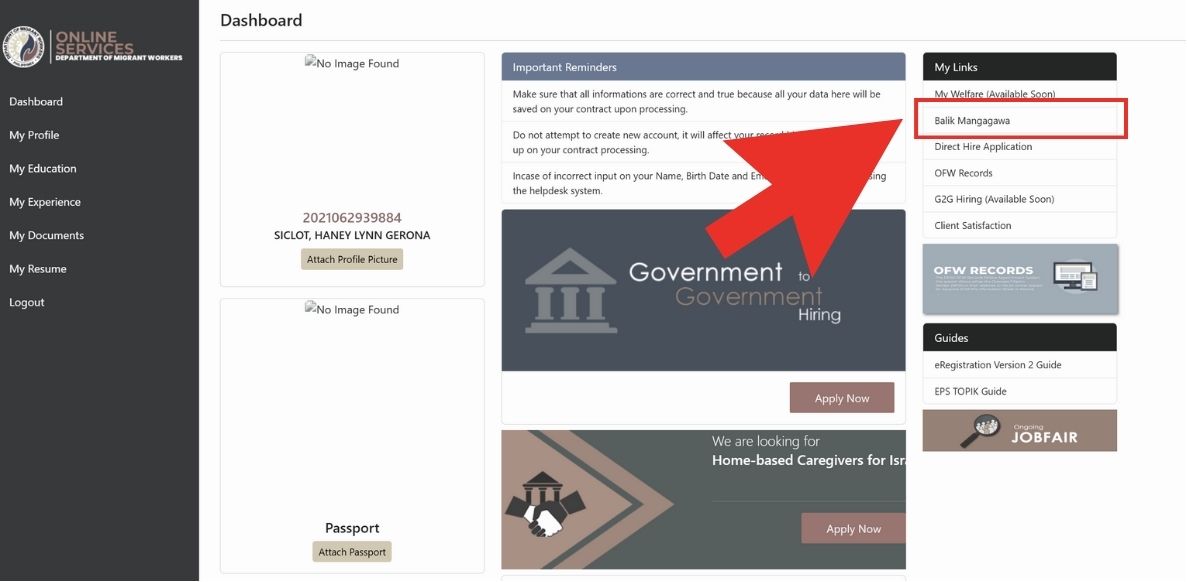
5. Go to “My links” and click “Balik Manggagawa”
6. You will also be asked for a flight schedule. (Input your flight going back to Singapore.)
7. Click next.
8. You will be asked if you are returning to the same Employer and the same Position.
9. Click “YES” to get an OEC EXEMPTION. (For SAME EMPLOYER)
10. Hit the “PRINT OEC” button to download it. Take a screenshot of it or you may also print it out.
Make sure to bring a copy of your VERIFIED Employment Contract, and if expired, the VALID Employment Contract with the SAME EMPLOYER, POSITION and JOB SITE as declared in the OEC.
Was this article helpful?
That’s Great!
Thank you for your feedback
Sorry! We couldn't be helpful
Thank you for your feedback
Feedback sent
We appreciate your effort and will try to fix the article